
PCTV DUAL DVBT PRO PCI - TV tuner card PINNACLE - Free user manual and instructions
Find the device manual for free PCTV DUAL DVBT PRO PCI PINNACLE in PDF.


| Product Type | PCI Dual DVB-T TV Tuner Card |
| Model | PCTV Dual DVB-T Pro PCI |
| Brand | PINNACLE |
| Bus | PCI Rev. 2.3 |
| Number of tuners | 2 |
| Tuner Frequency | 48 - 860 MHz (VHF and UHF) |
| DVB-T Demodulator | 2× Zarlink ZL10353 (QAM, QPSK, 6/7/8 MHz) |
| TV Format | DVB-T (Digital Terrestrial Television) |
| Main Functions | Simultaneous reception and recording of two DVB-T channels |
| Antenna Input | Single antenna for two tuners |
| Remote Control | Yes, with batteries and receiver cable (2.5 mm jack) |
| Required Operating System | Windows XP (Home, Pro, Media Center Edition 2005) with latest service pack |
| Minimum Processor | Pentium IV 2 GHz or AMD Athlon XP |
| Minimum RAM | 256 MB RAM (512 MB recommended) |
| Minimum Hard Disk Space | 5 GB free (20 GB recommended) |
| Required Graphics Card | DirectX 9 compatible |
| Required Sound Card | DirectX 9 compatible |
| Dimensions (approx.) | 120 × 80 × 20 mm (standard PCI card) |
| Power Supply | Powered by PCI bus (5 W max) |
| Weight (approx.) | 50 g |
| Box Contents | PCI card, installation CD, remote control with batteries, infrared receiver cable, quick start guide |
| Maintenance and Cleaning | Avoid moisture. Dust with a soft, dry cloth. Do not disassemble the card. Disconnect before cleaning. |
| Safety | Disconnect power before installation. Avoid electrostatic discharges. Do not force the card in. Do not touch components without protection. |
| General Information | Manufactured by Pinnacle Systems GmbH, Germany. CE compliant. Do not dispose of with household waste. |
Frequently Asked Questions - PCTV DUAL DVBT PRO PCI PINNACLE
User questions about PCTV DUAL DVBT PRO PCI PINNACLE
0 question about this device. Answer the ones you know or ask your own.
Ask a new question about this device
Download the instructions for your TV tuner card in PDF format for free! Find your manual PCTV DUAL DVBT PRO PCI - PINNACLE and take your electronic device back in hand. On this page are published all the documents necessary for the use of your device. PCTV DUAL DVBT PRO PCI by PINNACLE.
USER MANUAL PCTV DUAL DVBT PRO PCI PINNACLE
PCTV Dual DVB-T Pro PCI Hardware

pinnacle
PCTV Dual DVB-T Pro PCI Hardware
GB February 2006
© Pinnacle Systems GmbH 2006
All rights reserved.
No part of this manual may be reproduced or transferred to other media without explicit written permission from Pinnacle Systems GmbH, Braunschweig, Germany.
All brand or product names are trademarks or registered trademarks of their respective holders.
Pinnacle Systems GmbH has written this manual to the best of its knowledge, but does not guarantee that the programs/systems will fulfill the users' intended applications.
The feature descriptions are not to be understood as a warranty.
Pinnacle Systems GmbH retains the right to make alterations to the contents of this manual without obligation to inform third parties.
All quotes, sales, supply and manufacturing contracts from Pinnacle Systems GmbH, including consulting, installation and other contractual services are subject exclusively to the General Sales and Delivery Terms of Pinnacle Systems GmbH.

Disposal and Recycling
Do not dispose of electric components in the garbage. Either return defective or unwanted devices to the retailer or take them to an appropriate recycling station for environmentally friendly disposal!
Table of Contents
Introduction 1
Box Contents 2
System Requirements 3
Operating System 3
Processor 3
Working Memory 3
Hard Disk 3
Graphics Card 3
Sound Card. 3
Expansion Slot 3
CD-ROM / DVD-ROM Drive or Recorder 3
For Your Own Safety 4
Hardware Installation 5
Preparing for Installation 5
PCTV Dual DVB-T Pro PCI Hardware Installation 6
After Installation 6
Connecting the Equipment 7
Tips on Positioning the Antenna 8
Technical Data. 9
Bus System. 9
TV Tuner 9
DVB-T Demodulator 9
TV Format. 9
Remote Input Terminal 9
Congratulations on your purchase of PCTV Dual DVB-T Pro PCI!
The PCTV Dual DVB-T Pro PCI gives you two DVB-T tuners on a single PCI card – and you only need one antenna for it. Depending on the software you are using, this means you can watch or record two channels simultaneously.
DVB-T (Digital Video Broadcasting Terrestrial), digital terrestrial TV, offers a wide selection of channels with excellent image and sound quality, without requiring a satellite dish or cable connection.
Additional services planned for the future include digital radio, interactive TV, and IP data reception. Some of these services are already available in selected areas. More information about DVB-T can be found on the Internet, for example, at www.dvb.org or www.freeview.co.uk. For Australia, go to www.dba.org.au.
And now have fun with your PCTV Dual DVB-T Pro PCI!
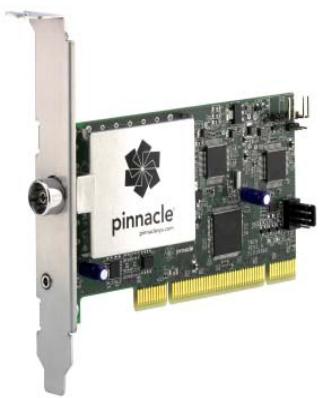
PCTV Dual DVB-T Pro PCI (image is a sample)
Installation CD
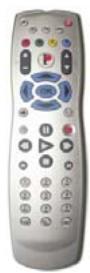
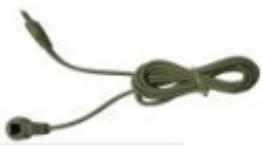
Remote control with batteries and receiver cable (images are samples)
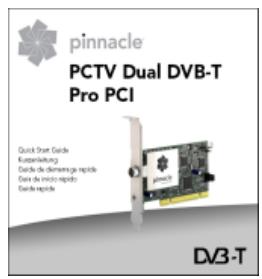
Quick Start Guide
PDF files on CD-ROM: user manual, hardware operating instructions, remote control operating instructions

Depending on the version of your product, package contents may vary.
Your system must fulfill the following requirements if you want to guarantee proper PCTV Sat Pro PCI function:
Operating System
Windows XP (Home Edition, Professional Edition or Media Center Edition 2005) with the latest service pack
Processor
Minimum: Pentium IV with 2 GHz or equivalent AMD Athlon XP
Recommended: Pentium IV with 2.8 GHz or equivalent AMD Athlon 64
Working Memory
Minimum: 256 MB RAM
Recommended: 512 MB RAM
Hard Disk
Minimum: IDE hard disk with master mode drivers and 5 GB free disk space
Recommended: U-DMA hard disk with 20 GB free disk space
Graphics Card
Minimum: DirectX9 compatible graphics card
Sound Card
Minimum: DirectX9 compatible sound card
Expansion Slot
PCI 2.3 compatible expansion slot
CD-ROM / DVD-ROM Drive or Recorder
Minimum: CD-ROM or DVD-ROM drive
Recommended: CD or DVD recorder

If you purchased your PCTV Dual DVB-T Pro PCI together with a PC and it is already installed, skip the next few sections and continue with the section "Connecting the Equipment".
In the interest of your own safety and the flawless functioning of your new PCTV Dual DVB-T Pro PCI and computer system, note the following before installing any hardware:
- Computer components are sensitive to static charge. Divert any electrostatic charge from your body before touching the components with your hands or any tools.
- Before opening the computer, make sure that the power plug is disconnected from the wall outlet.
Preparing for Installation

You will need a screwdriver to install your hardware.
- Divert any possible electrostatic charge from your body by touching the casing of your PC.
- Turn off your computer and all peripheral devices. Disconnect computer from the power supply and all necessary components.
- Loosen the computer cover screws and remove the cover.
- Select a free PCI slot. Remove the slot cover on the back panel of the computer. Make sure to keep the screws in a safe place.
PCTV Dual DVB-T Pro PCI Hardware Installation
- Insert the card into the available PCI slot. Hold it firmly on the upper edge and ease it down into the slot by applying even pressure at both ends. Press down on the upper edge until the card fits securely in the slot.
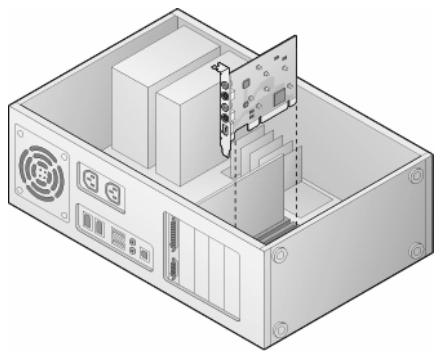
- If you cannot easily insert the card into the slot, do not use force because this can bend and damage the contact springs on the socket connector. Instead, remove the card and try to insert it again.
After Installation
- After you have inserted the hardware, tighten the card retaining bracket firmly on the back of the computer.
- Now place the cover back onto your computer and reconnect the peripherals and the power supply.
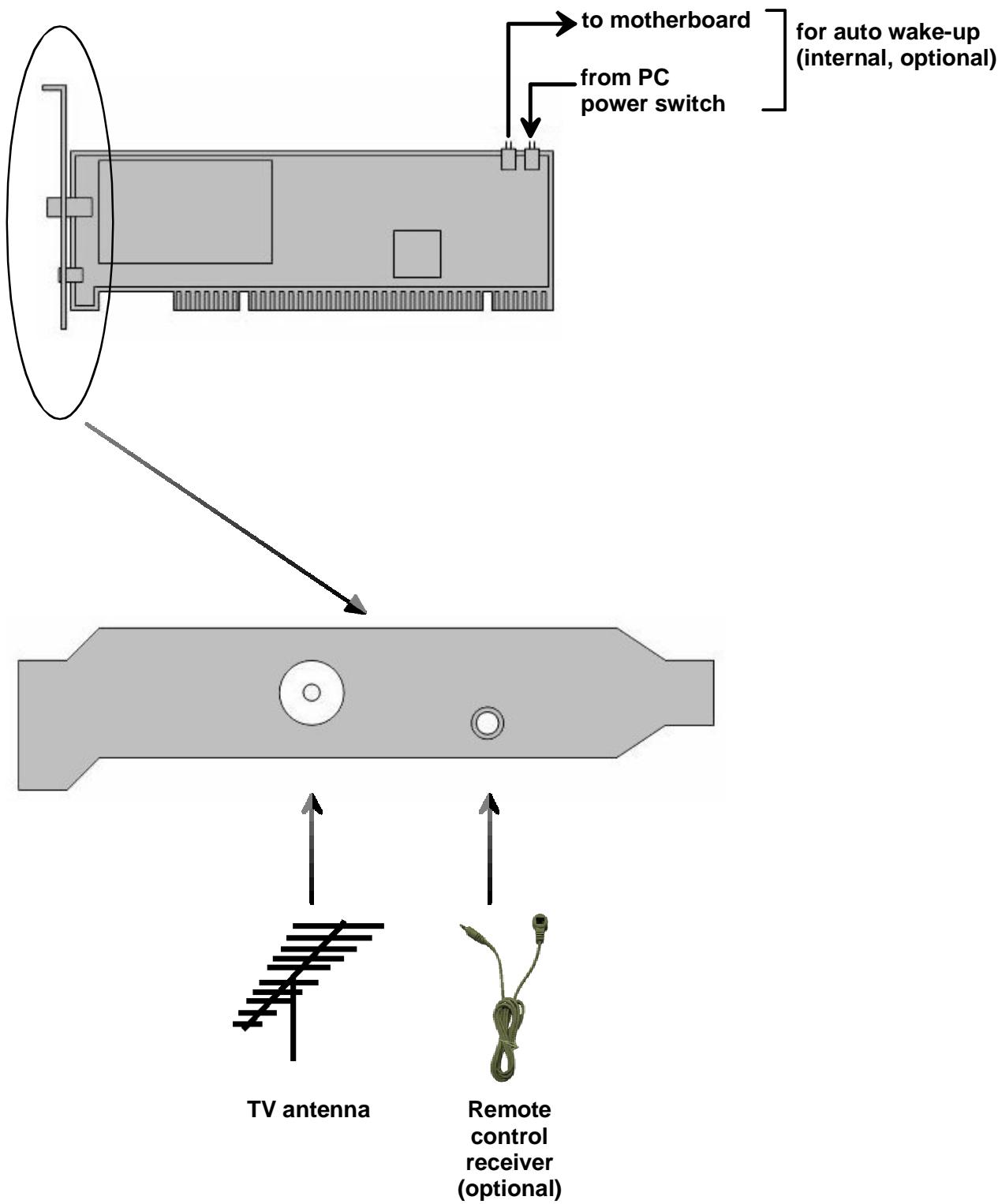
For optimal digital terrestrial TV reception, please observe the following instructions:
- Connect to a roof antenna if one is available.
If you wish to use the indoor antenna, it should be located as near as possible to a window. - Wherever possible, point the antenna towards the nearest transmitter.
- Try to position an indoor antenna as high as possible (for example, on top of a cupboard).
- An indoor antenna should not be located near a computer monitor, television or similar equipment.
- Make sure you have the proper polarization if you use an active flat antenna (if you are not certain, you can find out whether the antenna should have a transverse or upright position by trial and error).
- For active antennas without a separate power supply, activate the antenna power supply in the "Settings" menu of the Pinnacle Media Center application.
- Only double-shielded antenna cable should be used.
Bus System
PCI Rev. 2.3
TV Tuner
2xMicrotuneMT2060
The frequency range is 48 - 860MHz (VHF and UHF).
DVB-T Demodulator
2xZarlinkZL10353
16.64 QAM, QPSK
6, 7, 8 MHz bandwidth
UHF, VHF
TV Format
DVB-T
Remote Input Terminal
- 2.5 ~mm jack plug for connecting the optional receiver cable included in the package
Nr. / No 1.00
Anbieter / Supplier : Pinnacle Systems GmbH
Anschrift / Address : Frankfurter Strasse 3c 38122 Braunschweig, Germany
Produkt / Product : PCTV 2000i
- PCTV Dual DVB-T Pro PCI Hardware
- Disposal and Recycling
- Table of Contents
- Operating System
- Processor
- Working Memory
- Hard Disk
- Graphics Card
- Sound Card
- Expansion Slot
- CD-ROM / DVD-ROM Drive or Recorder
- Preparing for Installation
- PCTV Dual DVB-T Pro PCI Hardware Installation
- After Installation
- Bus System
- TV Tuner
- DVB-T Demodulator
- TV Format
- Remote Input Terminal
Brand : PINNACLE
Model : PCTV DUAL DVBT PRO PCI
Category : TV tuner card